
You can remove a follower directly from Instagram without blocking the account. The person will no longer follow you, but you can still choose a less visible option such as Restrict or a stronger option such as Block when the situation calls for it.
Quick answer
Open your Instagram profile, tap Followers, find the account, tap Remove, and confirm. Instagram may change the exact labels or placement between app versions, but the action remains inside your Followers list.
How to remove a follower from the Instagram app
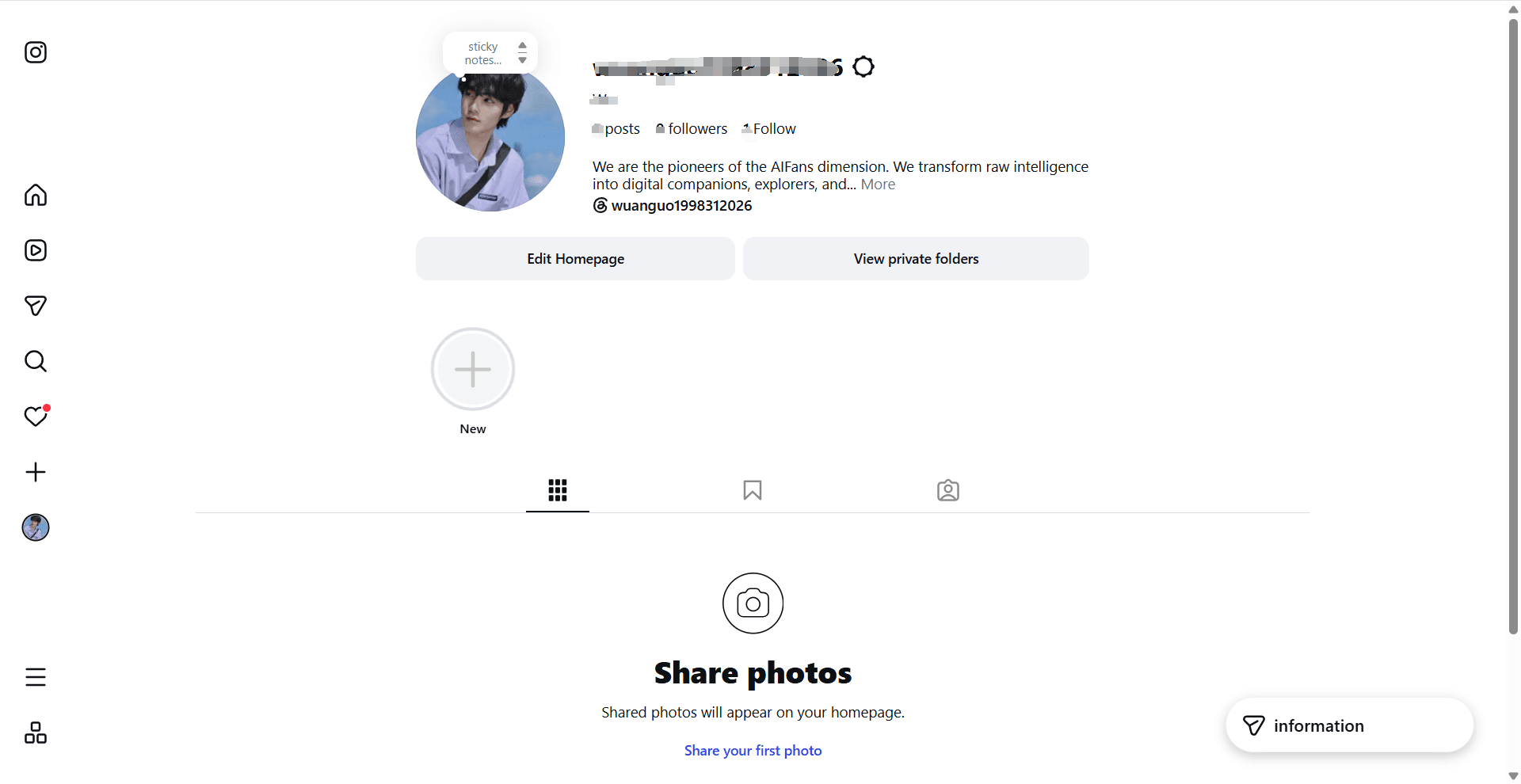
1. Open your profile and your Followers list
Open Instagram in the app or at instagram.com and go to your profile. Tap or click the Followers count or button below your bio to see the accounts that currently follow you.
2. Find the account you want to remove
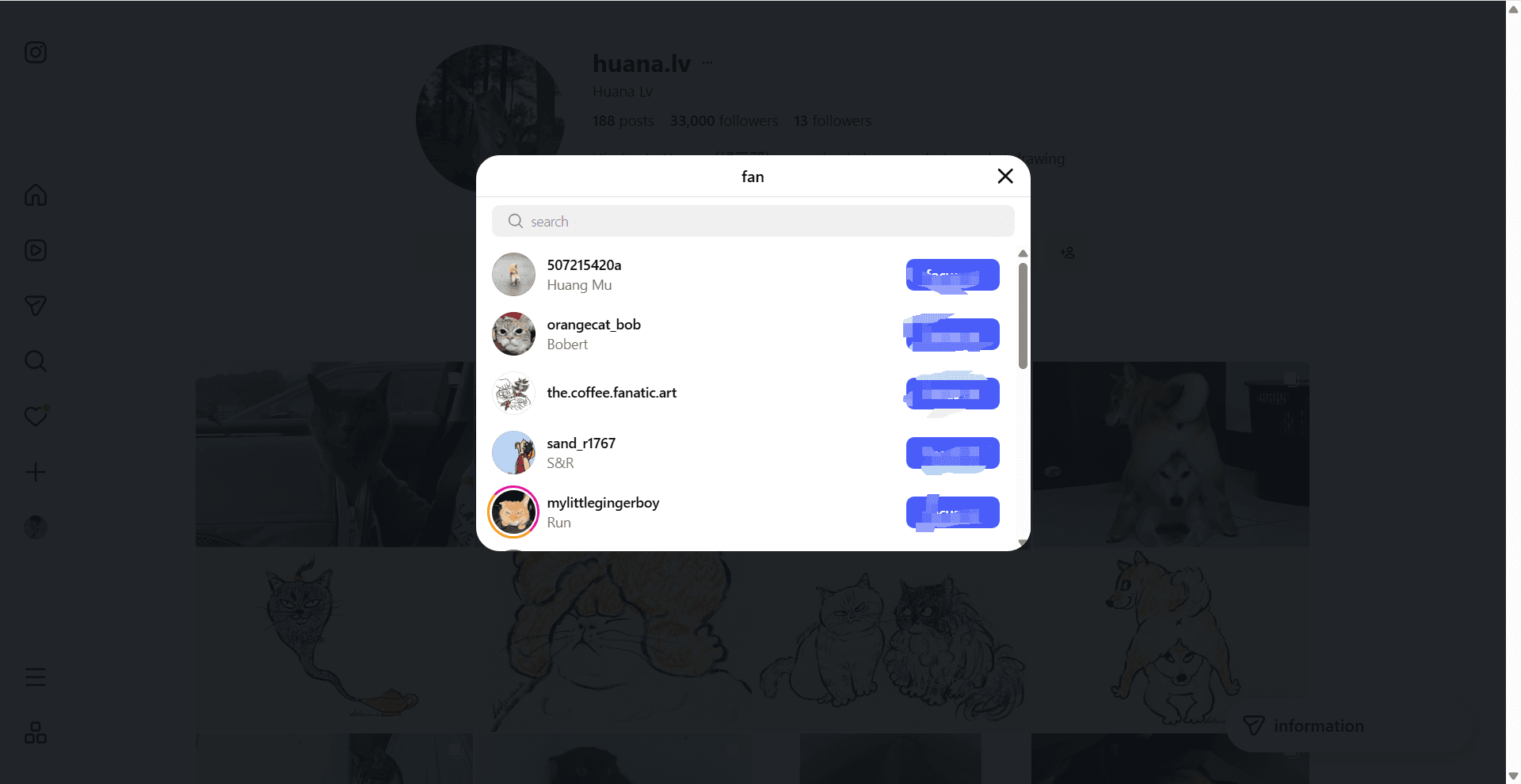
Scroll through the list or use the search field to find the account. Check the username carefully before taking action, especially when several accounts have similar names.
3. Tap Remove
Tap Remove next to the account. On some versions of Instagram, you may need to open a small menu beside the account before the Remove action appears.
4. Confirm the removal
Confirm the action when Instagram asks. The account should disappear from your Followers list. You can revisit the profile later if you need to block or restrict the account instead.
What happens after you remove someone?
Removing a follower changes who follows your account. It does not automatically block the person, and it does not remove your own following relationship if you follow them.
Instagram generally does not send a direct notification that someone was removed. However, the person may notice later if they visit your profile, check their following status or try to view content that is no longer available to them.
If your account is private, the person must send a new follow request before seeing private posts again. If your account is public, they can follow you again unless you block them.
Remove, Restrict, Mute or Block?
Choose the lightest option that solves the problem:
- Remove: the account stops following you, but it is not blocked.
- Restrict: reduces the visibility of comments and messages without fully cutting off the account.
- Mute: hides an account's posts or stories from your feed without changing the follower relationship.
- Block: creates a stronger separation when you do not want the account to find or interact with you.
Can you remove followers in bulk?
Instagram's native controls are designed for reviewing accounts individually. Be cautious with third-party services that promise bulk removal or ask for your Instagram password, cookies or access tokens. Account automation can create privacy and account-security risks.
If your goal is different and you want to review accounts you follow that do not follow you back, you can use Instagram Cleaner to compare your own followers and following export locally in your browser. It does not remove followers or automatically unfollow anyone.
Why this is different from finding non-followers
Removing a follower is an action on your Instagram account. Finding non-followers is an analysis question: which accounts appear in your following list but not in your followers list? Do not use the two terms interchangeably.
For the second question, request your data through Instagram Accounts Center and read the relationship snapshot. Our followers export guide explains what the files mean and why numbered followers files should be read together, and how to see who does not follow you back walks through the comparison itself.
Before you tap Remove
- Confirm that you selected the intended account.
- Decide whether Remove, Restrict, Mute or Block matches the situation.
- Do not share your password or authentication codes with a follower-management service.
- Remember that the person may still find your public profile unless you block them.
Frequently asked questions
Will Instagram notify someone when I remove them?
Instagram generally does not send a direct removal notification, but the person may notice if they later check whether they follow you or visit your profile.
Can I remove someone without blocking them?
Yes. Remove is specifically designed to end the follower relationship without blocking the account.
Does removing a follower unfollow them for me?
No. Removing someone from your Followers list does not change whether your account follows them. Manage that relationship separately from your Following list.
Can a removed follower follow me again?
Yes. A removed follower can follow a public account again or send a new request to a private account. Use Block if you need to prevent the account from following or interacting with you.
The short version
Go to your profile, open Followers, find the account, tap Remove and confirm. Use Restrict or Block when you need stronger boundaries, and avoid services that request account credentials for a simple action Instagram already provides.