
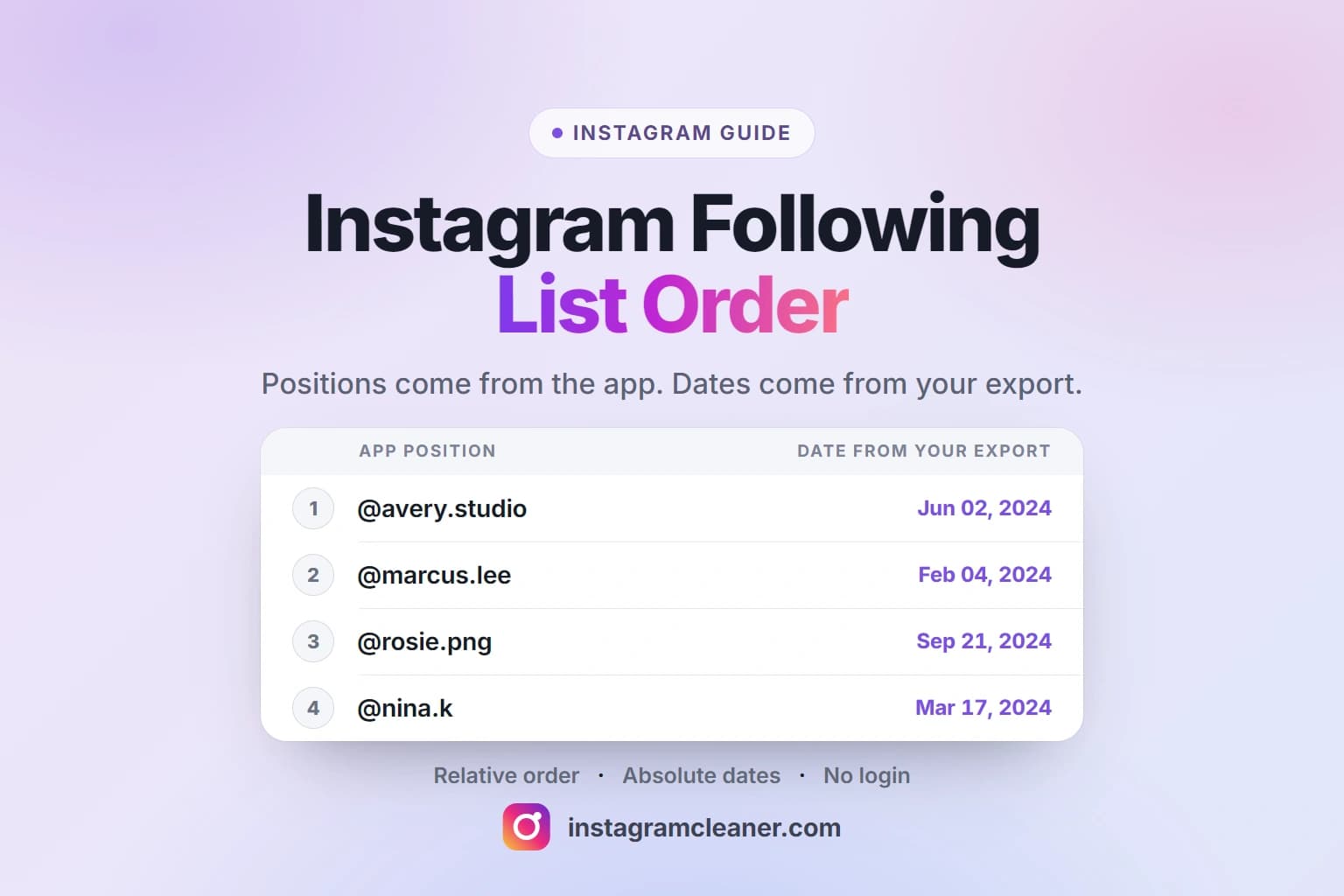
Your following list has an order, and Instagram does not tell you what it is. The default arrangement is not oldest-first, the sort control in the app rearranges names without ever showing a date, and the same list can look different the next time you open it. The one place an exact follow date exists is your own data export.
Quick answer
The order you see in the app is relative — it is a position, not a time. Instagram does not document how the list is sorted, and the default is not a record of when you followed anyone. Your data export is the opposite: following.json records a timestamp for every account, which makes it the only place you can read your following list in true chronological order.
What controls the order of your Instagram following list
The Following list has carried a sort control for years, and in all that time it has never shown a date. What it offers is a different arrangement of the same names:
- A default order. Whatever arrangement the list opens with, and the one most people are actually looking at when they wonder why it looks wrong.
- Most recently followed first. An arrow beside the default label flips the list so the newest follows sit at the top. This is the closest the app gets to chronological — and it is still only a relative order.
- Least Interacted With. A category that surfaces accounts you barely engage with, sorted by how little you interact rather than by time.
- Most Shown in Feed. The inverse view, grouping accounts by how often they reach your feed.
Instagram has renamed, moved and retired these controls between versions, so treat the labels above as descriptions rather than fixed text. What has not changed is the shape of the answer: every option reorders names, and none of them tells you when.
What the order does not mean
Three readings of the list are common and all three are wrong:
- It is not a timeline. Position one is not your oldest follow and the last row is not your newest. Reading the list top to bottom as a history of your account does not work.
- It is not a ranking of who matters. An account sitting high in the default order is not Instagram telling you it is important. The order is produced by signals you cannot see, not by a judgement about the relationship.
- It is not stable. The arrangement can shift between sessions and between the app and the web without a single relationship changing. If it looked different yesterday, nothing broke.
The honest summary is that the order is a view, not a fact about your account. Anything you want to know about when something happened has to come from somewhere else.
Why the app’s sort options are not enough
Two limits matter more than the labels. The first is that a position is not a date. Knowing an account sits third from the top tells you it ranks above the fourth — it does not tell you whether that follow happened last month or six years ago.
The second is coverage. The Least Interacted With view is capped: it surfaces up to around 50 accounts rather than your whole following list. If you follow several hundred people, that view is a sample of the list, not an inventory of it, and treating it as complete is how people end up believing they have cleaned up when they have barely started.
What you can see on someone else’s following list
On a public profile you can open the Following list and scroll it, and it is arranged in the same undisclosed way as your own. What you cannot do is read anything into it: there are no dates, no sort control you can apply to someone else’s list, and no way to export it. On a private account you cannot open the list at all.
This is worth stating plainly, because a large share of the interest in list order is about seeing someone else’s — and there is no legitimate route to it. A site that offers to show you another account’s follow dates is either asking for that person’s login or inventing the result. Neither is worth the click.
How to see your own following list in order
The app cannot answer the question, so the answer comes from a file you already own. Request your information from Accounts Center, choose Followers and following, and download the ZIP. The accounts you follow are listed inside following.json — the step-by-step request and comparison walkthrough covers that from the beginning if you have not done it before.
Where the date lives
One entry per account. The value is a Unix timestamp in seconds — the exact moment that follow was recorded. The field path can shift between export versions, so look for the timestamp on the relationship record rather than trusting one fixed location.
Every entry carries a time. In the JSON export it is always there. HTML exports also print a date beside each account, but that format is not documented and is read on a best-effort basis, so an occasional missing date is expected rather than a sign that the download is broken. Sort the timestamps and you have something Instagram never shows you: your following list in the order you actually built it.
If you want the full anatomy of the download — what each numbered file is, why a large export splits into several parts, and what a followers-versus-following comparison calculates — that is a separate topic, covered in our guide to the Instagram followers export.
Why the date matters more than the position
A timestamp turns a vague list into a set of answerable questions:
- You can find the accounts you followed first. The earliest entries are the ones that have survived years of changes — often a more interesting group than whatever is at the top of the default order.
- You can spot clusters. Twenty accounts followed on the same afternoon is a pattern. Whether that was a conference, a giveaway or a follow-back spree, the dates show you the shape of it in a way the app never will.
- You can review with context. “Followed in 2019 and never interacted since” is a far better reason to reconsider an account than “somewhere in the middle of a long list”.
None of this needs a third party. The dates are in the file you downloaded, and they are yours to read.
Reading the list without uploading it anywhere
The file contains your entire social graph, so where it goes matters more than how convenient the tool is. Instagram Cleaner reads your export locally in your browser and compares your followers against your following. It does not ask for a login, a password, a session cookie or a two-factor code, and it never follows, unfollows, removes, restricts or blocks anyone.
If the export itself is the problem — an archive that never arrives, an empty download, a missing relationship file — that is a different path: see why an Instagram export is not working.
Common mistakes
- Assuming the top of the list is the oldest follow. The default order is not a timeline, so reading it as one gives you a false history.
- Reading a position as a date. “Third from the top” is a ranking, not a moment. It cannot tell you when anything happened.
- Treating Least Interacted With as your full following list. It is capped at roughly 50 accounts, which is a sample rather than the whole list.
- Expecting the export to show who unfollowed you. It is a snapshot of your relationships as they stand, not a history of changes — so it can give you dates for follows, not for unfollows.
- Uploading the ZIP somewhere without checking what happens to it. The archive is your entire relationship graph, and nothing about reading a date requires sending it anywhere.
- Hunting for someone else’s order. There is no legitimate way to see another account’s follow dates, and the tools claiming otherwise are the ones asking for credentials.
Privacy and account safety
Everything in this guide happens with data you already have. Your export is generated by Instagram for you, and the follow dates inside it are readable on your own machine — no login, no session, no connection to your account required.
That is also the test for any service you consider: if it wants your Instagram password, a login code or a session cookie in order to tell you about your own following list, it is asking for control of your account in exchange for information you already own. Your file stays in the browser tab you opened it in, and nothing in this guide requires sending it anywhere.
Frequently asked questions
What order is my Instagram following list in?
Instagram does not document it. The default arrangement is not oldest-first, and the sort control the app does offer reorders names without ever showing a date. The only place an exact follow date exists for you is your own data export, where each account you follow carries a timestamp.
Does Instagram show the date you followed someone?
Not in the app. There is no field on a profile, in your Following list or in your account settings that shows when a follow happened. Your data export records one timestamp per account, and the JSON version always includes it — that is the only place the date is available to you.
How do I see my following list in chronological order?
You cannot do it inside Instagram. Sorting by most recently followed first gets you close, but it is still a relative arrangement with no dates and it is not a complete record. For a true chronological order, read the timestamps in following.json from your own export and sort them.
Can I see someone else’s following list in order?
You can open the Following list on a public profile, and it is arranged in the same undisclosed way, but you cannot see dates, you cannot apply a sort to it and you cannot export it. On a private account you cannot open the list at all. There is no legitimate way to see someone else’s follow dates.
Why does my following list change order?
Because what you are looking at is a ranked view rather than a fixed list. The arrangement reflects whichever sort is active plus signals only Instagram can see, so it can look different between sessions and between the app and the web. Nothing about your actual relationships has to change for the order to move.
Is the first account in my following list the first person I followed?
Not reliably. The top of the default order is not a record of when you followed anyone, so you cannot read the list from top to bottom as a timeline. If you want the accounts you followed first, that answer is in your export: they are the entries with the earliest timestamps.
The short version
Instagram will not tell you what your following list is sorted by, and it will never show you a date. Positions are relative and the list can rearrange itself without anything changing. If you want to know when you followed someone — or who you followed first — the answer is a timestamp in following.json inside your own data export. Read it locally, sort it, and you have the chronological list the app does not provide. The rest of the set, from exports to unfollowing, is on the blog index.