
Find Instagram non-followers
Compare your followers and following export to identify accounts that do not follow you back.
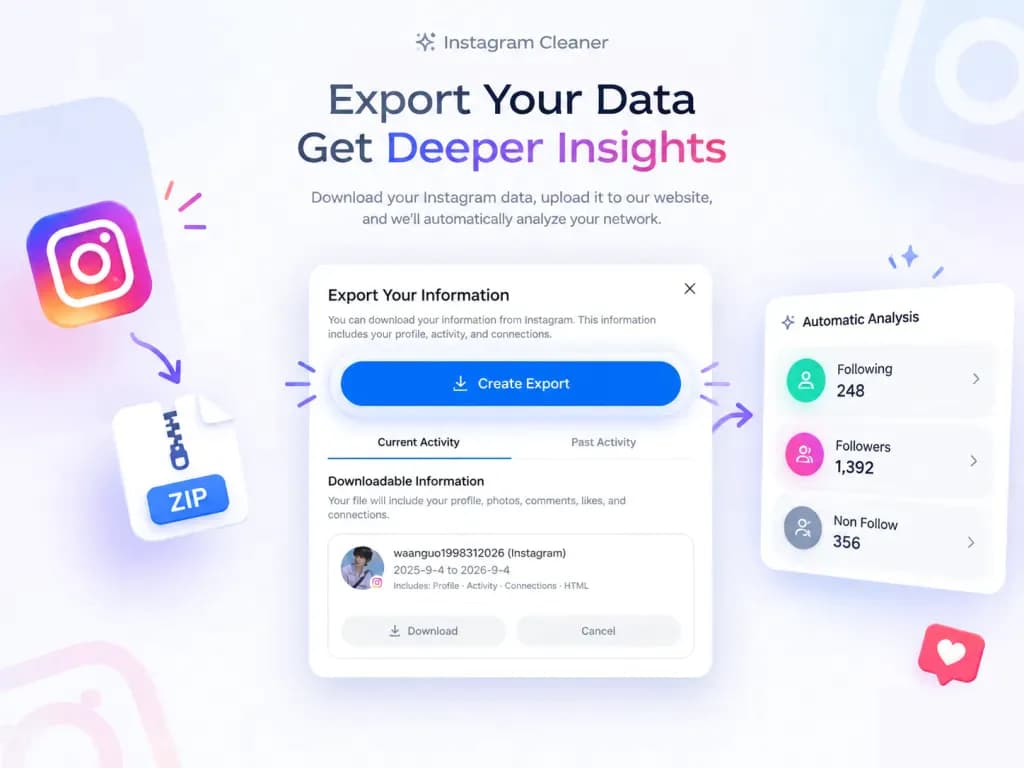
Download your Instagram followers and following data, upload the export ZIP directly, and find who does not follow you back — without extracting files, sharing your password or connecting your account.
Private Instagram analysis
Get your export from Instagram
Request only Followers and following in JSON or HTML. Your username is used only to open the right Instagram settings page.
Follow the five screens in order, then return with the downloaded ZIP for a private browser-based review.
A clear definition
Instagram Cleaner compares the followers and following files in your own export. A username found in following but not followers is a non-follower in that snapshot.
The same check is often searched for as an insta cleaner, an IG cleaner or an instacleaner. Whatever name you use, the mechanism is the same: read the relationship files you already downloaded instead of connecting an account.
The result is a review list, not an automatic unfollow command. You keep the context and decide which accounts still belong in your feed.
Focused capabilities
Compare your followers and following export to identify accounts that do not follow you back.
Open profiles individually and keep exceptions instead of treating every one-way relationship as unwanted.
Download the result as CSV for notes, spreadsheet review or a slower manual cleanup session.
Select multiple export files, scan longer result lists and organize a CSV review in one workspace.
What the result means
An Instagram non-followers checker can answer one precise question: which accounts appear in your following list but not in your followers list at the time of the export?
Instagram Cleaner does not guess who viewed your profile or why someone unfollowed you. It shows the relationship difference, links each profile for context and lets you decide what to do.
Reviewing suspicious accounts that already follow you? Use the separate bot followers checker to record observable profile signals without mixing the two audit types. For the background on what those signals can and cannot prove, read how to identify Instagram bot followers.
Followers, following, non-followers and mutual accounts in the same snapshot.
Your ZIP is processed locally in the browser. No Instagram login, password or account connection.
Open profiles one by one, keep exceptions and download a CSV review list without automatic unfollowing.
Desktop web tool vs apps
A desktop Instagram cleaner is a strong fit when you already have your export and want a deliberate, private following audit.
Instagram data export guide
Before using the Instagram non-followers checker, request an official export from Instagram Accounts Center. Choose JSON or HTML, download the ZIP when it is ready, then upload your Instagram export in the private browser workspace.
For the full walkthrough, including how to compare the two files and read the result, see how to see who doesn’t follow you back on Instagram. To understand what each file inside the ZIP actually contains, read the followers export explained. If the workspace rejects your file, or you are unsure which part of the archive to hand it, how to upload an Instagram ZIP export covers what the upload accepts and what each error means.
Use Instagram settings to open Your information and permissions, then request a download.
Select your followers and following information in JSON or HTML format.
Keep the downloaded Instagram data ZIP compressed and return to Instagram Cleaner.
Common problems
Most failed exports break at one of three points. Match the symptom you are seeing, fix that step, then return to the tool with a complete archive.
Instagram can leave a download request in progress for hours or days before the archive is ready. Returning to Accounts Center too early usually shows the same pending state.
Export links expire. If the ZIP will not download any more, request a fresh copy and save it to your computer before opening or moving it.
A ZIP that only contains photos or messages was requested without the followers and following categories. Both have to be included before the comparison can run.
If none of these match what you are seeing, the Instagram export troubleshooting checklist covers the exact error wording and the checks that fix a broken export.
Who it is for
Use the desktop tool when you want evidence from your own export and a clear list to review manually. It is useful for personal cleanup, creator audits and small business following reviews.
Find accounts you follow that do not follow you back, then decide which interests still belong in your feed.
Separate reciprocal relationships from accounts followed for research, inspiration or collaboration.
Create a documented following review before making manual changes to a brand account.
How Instagram Cleaner works
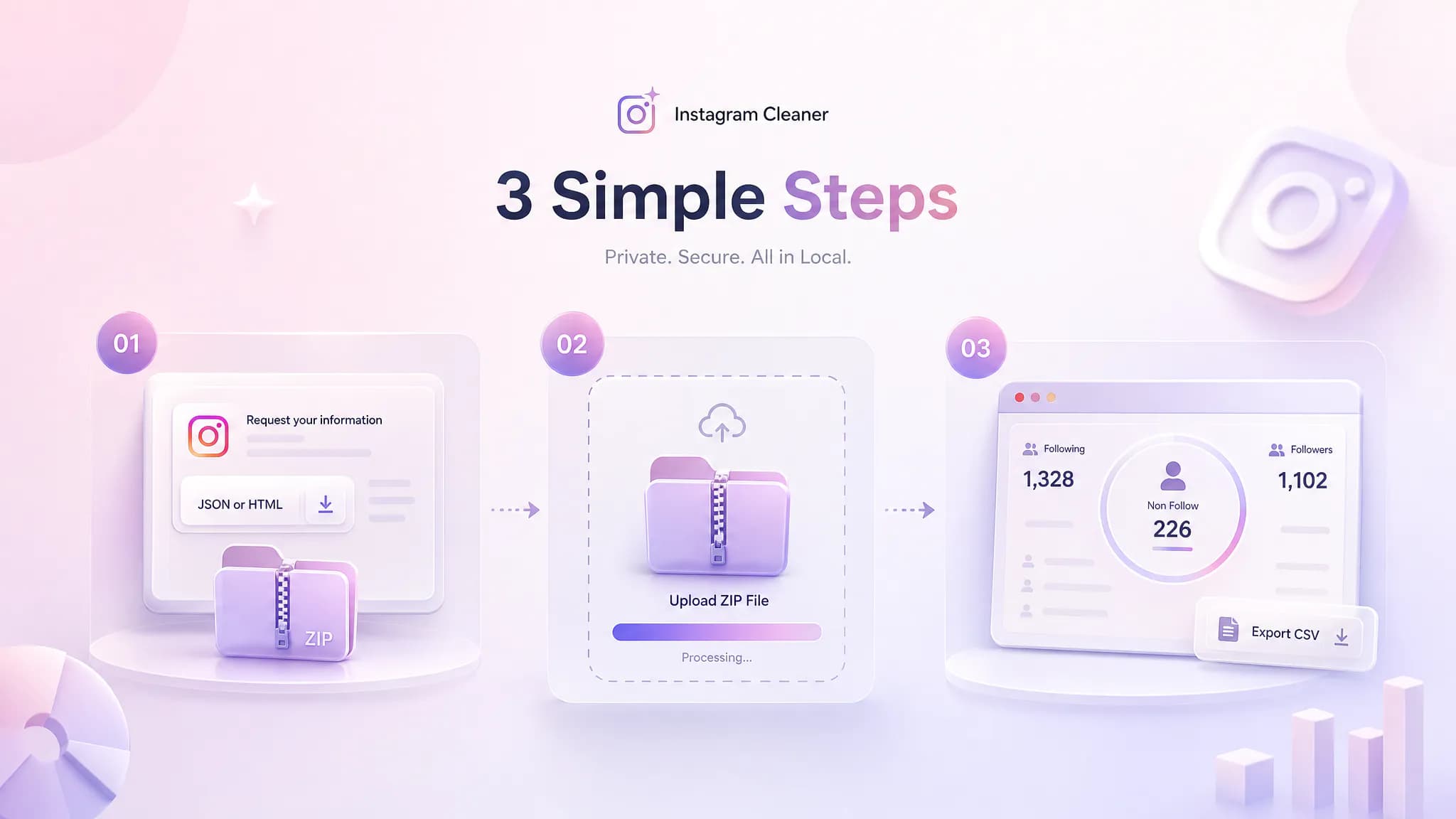
Use Instagram Accounts Center to request your information in JSON or HTML format. Download the Instagram data ZIP and keep it compressed.
Choose the ZIP in the workspace above. The tool opens it locally, finds followers files plus following and normalizes usernames automatically.
Instagram Cleaner subtracts followers from following and displays the accounts that remain. Open profiles and download a CSV worklist.
Frequently asked questions
Understand the files, the result and the account-safety trade-offs before making changes.
Instagram Cleaner compares the followers and following files from your Instagram data export and identifies accounts that do not follow you back.
No. The web tool never connects to your Instagram account or asks for a password, token, cookie or two-factor code.
No. ZIP, JSON and HTML files are opened locally in your browser and are not sent to an Instagram Cleaner server.
No. It provides a review list and profile links. You decide which accounts to keep and make changes manually in Instagram.
Upload the Instagram ZIP directly. The tool supports JSON and HTML exports and finds numbered followers files plus the following file.
No. Instagram Cleaner is independent and is not affiliated with, sponsored by or endorsed by Instagram or Meta.
Ready when you are
Start with the data you own. Keep your login private. Make every account decision yourself.